• Home

  • NI Videos

  • Music Samples

  • Resources

  • Contact

Logo Logo
  • Home
  • NI Videos
  • Music Samples
  • Resources
  • Contact
  • Search

Home / Videos / Maschine Tutorial: How to Add Effects

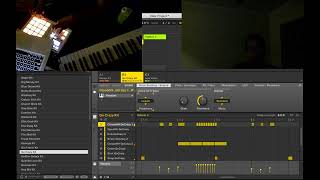
Maschine Tutorial: How to Add Effects

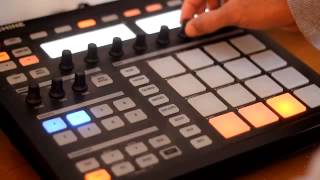
Watch this video to learn how to add effects and save presets in your Maschine projects.

Connect with The DJ Podcast
http://thedjpodcast.com
Posts by thedjpodcast
http://facebook.com/thedjpodcast

maschineowners

Related Posts

AMA Episode #8 - VEP Templates vs Locally Loaded Kontakt with Kazimir Boyle

AMA Episode #8 - VEP Templates vs Locally Loaded Kontakt with Kazimir Boyle

24 May 2020

Maschine Tutorial: How to Quantize Beats

Maschine Tutorial: How to Quantize Beats

21 Jul 2019

Maschine MK3 Beginner Tutorial Interface Explained 2.7.3 software

Maschine MK3 Beginner Tutorial Interface Explained 2.7.3 software

04 Jul 2019

Maschine Tutorial - Mute Automation

Maschine Tutorial - Mute Automation

02 Sep 2019

MASCHINE Tutorial Pt. 3/3: Live Performance Techniques

MASCHINE Tutorial Pt. 3/3: Live Performance Techniques

25 Jun 2019

How To Install Fl Studio20 - Tutorial Dark Skin Blue Theme x64 Win.

How To Install Fl Studio20 - Tutorial Dark Skin Blue Theme x64 Win.

29 Apr 2020

Tutorial: How to Sync Traktor Pro and Maschine

Tutorial: How to Sync Traktor Pro and Maschine

27 Jan 2020

Maschine + Serato Sample 1.2

Maschine + Serato Sample 1.2

19 Feb 2020

Sidebar

Recent Posts

  • 808 Glides – Maschine Tutorial
  • Maschine tutorial – Emulating Vintage Samplers in Maschine's Sampler
  • STRADIVARI VIOLIN Walkthrough | Native Instruments
  • MASCHINE MK3 III- SZYBKI START! TUTORIAL PL
  • Hardware Synths in Maschine! Maschine Tutorial 2019

Categories

  • Maschine
  • News And Updated
  • NI Videos
  • Tools
  • Videos
    • Home
    • News
    • NI Videos
    • Music Samples
    • Resources
    • Contact
  • Terms of Use
  • Copyright / DCMA Notice
  • Anti SPAM Policy
  • Cookies Policy
  • Affiliate Disclosure
  • Amazon Associate Disclosure

©   Copyright 2018 – 2019 Black Eagle Marketing Group