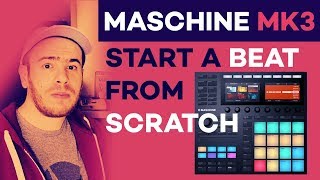
Maschine Mikro MK3 Tutorial Part 1: Setup and Make a Beat
 Watch the FULL series of tutorials: https://www.youtube.com/watch?v=mqVWTGoZ2gg&list=PLr1CQkryLh_qmXP4qW13xR4TkncaRcapA
🔥Get the Maschine Mikro MK3 here: https://bit.ly/2Pg7lZL
Subscribe for more tutorials like this one!
Step 1. Register your Mikro: https://www.native-instruments.com/en/support/hardware-registration/
Step 2. Download Native Access: https://www.native-instruments.com/en/support/downloads/
In this video I show you how to get started with the new Native Instruments Maschine Mikro MK3. I demo how to setup your Maschine Mikro MK3 once you have unboxed it, registering it and installing Native Access and the software you’ll need. Then I show you step by step, how to create a beat on the Maschine Mikro MK3, using one of the included kits. I show you how to browse kits, load them, and then play and record a beat. I’ll also show you how to layer drum sounds and samples into your beat. You’ll learn how to set the tempo, create a pattern, and adjust the volumes of individual sounds. Finally, I’ll show you how to use the ultra-cool FX feature on your Maschine Mikro MK3.
#MaschineMikro #NativeInstruments #SanjayC
– My Music GEAR –
My trusty computer – https://amzn.to/2pSdTn6
The best headphones EVER – http://amzn.to/2CWVnP3
My main audio interface – https://amzn.to/2V4fALO
Excellent audio interface for beginners or anyone really – https://bit.ly/2TdBhvS
Amazing studio monitors for the price – http://amzn.to/2BVsJkA
My main keyboard – https://bit.ly/2UqOrlA
The most expressive keyboard EVER: https://amzn.to/2IoLyxF
The most complete virtual instrument collection – https://bit.ly/2EbtKXl
I don’t leave home without this controller: https://amzn.to/2K2idfS
Drum pads with the best sensitivity – https://bit.ly/2Pg7lZL
The best DAW ever – http://amzn.to/2EimlpH
My main DAW controller – http://amzn.to/2BmcWHQ
Great microphone for vocals: https://amzn.to/2KlLzWd
Subwoofer that did the job – https://amzn.to/2CF6wrX
Expressive control from the future – https://amzn.to/2JVnx1k
My preferred mini keyboard – https://amzn.to/2pdnvJ6
Keyboard that’s a workflow beast – https://amzn.to/2BnR7Ka
The ULTIMATE hardware synth: https://amzn.to/2CKcl6h
– Studio Accessories –
The best stand for drum machines – http://amzn.to/2ByZuVr
The best stand for MacBooks – https://amzn.to/2XaT1at
That animated clock thing you all keep asking about – https://amzn.to/2GTe2ke
Great 4K monitor for Ableton Live (or any DAW) – http://amzn.to/2BKtbiZ
The best mic arm – https://amzn.to/2NgemdO
– FOLLOW ME on Social Media-
Facebook: https://www.facebook.com/SanjayCOfficial
Instagram: http://www.instagram.com/sanjayc
Soundcloud: https://soundcloud.com/SanjayC
💼 Want me to review your product? Let’s do this!
sanjayC.business@gmail.com
Tags: maschine mikro mk3 tutorial,how to use maschine mikro mk3,maschine mikro mk3,maschine tutorial,maschine,maschine mikro,maschine mikro for beginners,native instruments maschine,mikro,mk3,tutorial,video,loading,groups,sounds,samples,how to,demonstration,made easy,learning,basics,getting started,sanjay c,sanjayc,native instruments mashine,maschine mk3,how to make beats

![[REVIEW] Native Instruments Symphony Essentials](https://maschineowners.com/wp-content/uploads/2020/06/Jo0L01.jpg)